

OEM License
The solution is available in form of one time OEM license. It means that once purchased it can be integrated into your own project and redistributed without any royalties. Read more…
Serial Port Splitter allows several serial communications applications to get simultaneous access to serial device plugged to a COM port.
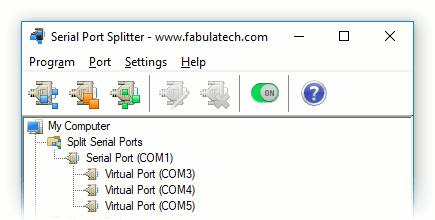
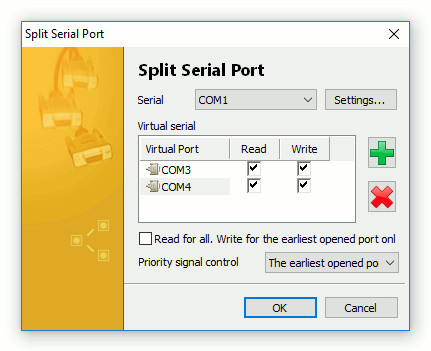
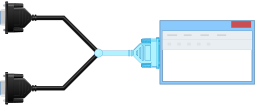
Serial Port Splitter creates several virtual COM ports linked to the specified physical COM port. Any application recognize virtual serial ports as usual hardware COM ports.
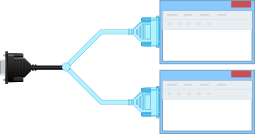
When virtual serial ports are opened by communications applications, data from the physical COM port is sent to all opened virtual COM ports simultaneously. And vice versa, data from each communications application written to a virtual COM port is sent to the physical COM port.
The program allows you to split one physical COM port into several virtual COM ports. Each virtual serial port appears as the exact copy of a hardware COM port. Thus, several communications applications can exchange data with serial device connected to the physical COM port simultaneously.
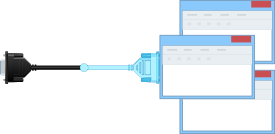
Serial Port Splitter makes it possible also to open a single physical COM port by several communications applications simultaneously. This is very similar to splitting but in this case serial communications applications get access to a serial device using the same COM port name without necessity to create several virtual COM ports. Thus, you don't have to adjust each communications application to work with separate virtual COM port.
In case if you need to send data to several serial devices from a single communications application simultaneously, you can simply join physical COM ports into one virtual port. In this case data from every physical COM port will be sent to virtual serial port. Also the data from the communications application will be sent to all joined hardware COM ports via virtual COM port.
Virtual COM ports fully emulate behaviour of hardware COM ports, so any serial communications application works with virtual COM port as if it was a hardware COM port.
The program makes virtual serial ports accessible at every system startup even prior to user's logon. Once configured, virtual COM ports are created automatically and you don't have to adjust anything or even login to operating system.
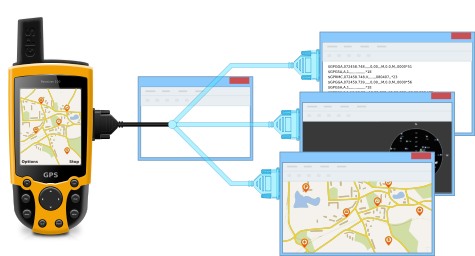
A GPS-receiver is plugged into hardware COM1 on the computer. You need to send the data from the GPS-receiver to three different communications applications.
The program splits COM1 into three virtual COM ports which are the exact copies of COM1. Virtual serial ports are connected with COM1 internally. As soon as three virtual COM ports are opened by communications applications correspondingly, they start receiving data from the GPS-receiver over COM1.
The solution is available in form of one time OEM license. It means that once purchased it can be integrated into your own project and redistributed without any royalties. Read more…
