Splitting Physical COM Port to Several Virtual COM Ports
Serial Port Splitter allows you to split physical serial ports into any needed number of virtual COM ports. All the data from physical COM ports vill be redirected to newly created virtual ports. So, virtual COM ports become the exact copies of the physical one. In other words, Serial Port Splitter splits any physical COM port into several virtual COM ports.
1.
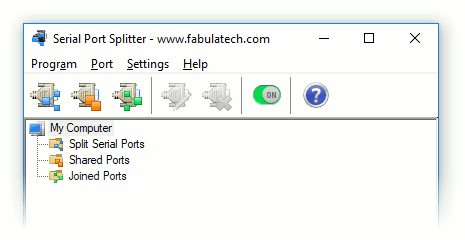
On the toolbar, click  button.
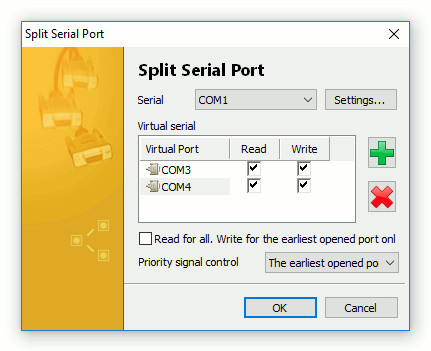
2. Select physical COM port you want to split.
3.
Use
 and
and
 buttons to arrange the list of virtual COM ports to which physical COM port will be split.
Serial Port Splitter supports COM ports overlapping. It means that virtual serial port can have the same name as existing physical COM port.
If overlapped virtual COM port is created, it will be accessed instead of physical one.
You can set Read and Write permissions for every virtual port.
4. Click .
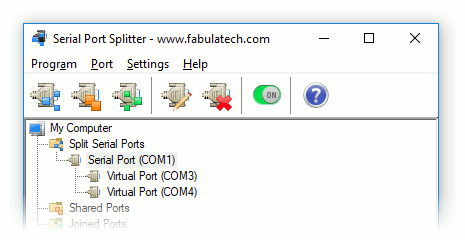
As a result, the program creates several virtual COM ports that are exact copies of the physical one. Data written to physical COM port get to all virtual COM ports. On the other hand, data written to virtual COM ports get to the physical one.
Access Permissions
It is possible to setup the access permissions for every virtual COM port. You can specify whether a port is readable or writable.
- Read for all. Write for the earliest opened port only
- This option enables the mode when all virtual ports are permitted to be read. But only one virtual COM port that was opened before others is permitted to be written.
Priority Signal Control Port
DTR/RTS COM port's signals must be set in order to receive and transmit data. To avoid conflict situations, Serial Port Splitter allows only one virtual COM port to manage these signals.
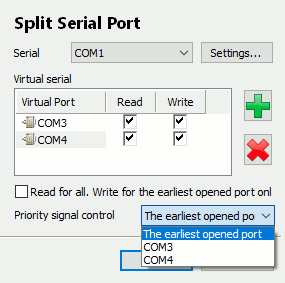
If Priority signal COM port is not opened at this moment, the possibility to manage signals is automatically passed to virtual COM port that was opened before others. Control over signals will be returned to Priority signal COM port right after its opening.
If option Priority signal COM port is set to The earliest opened port, signals management will be done using virtual COM port that was opened before others.
Split Port Settings
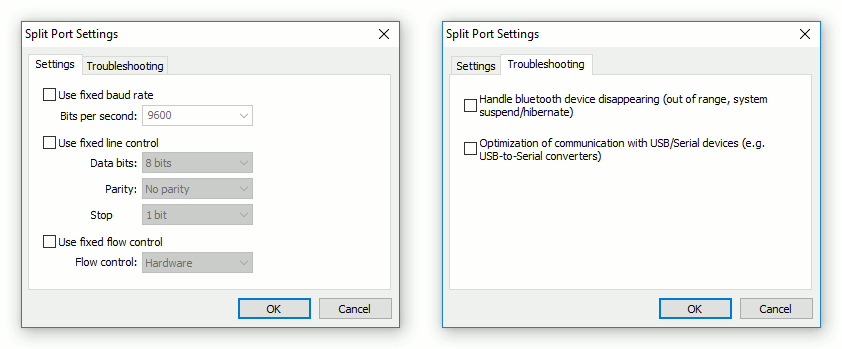
Click to setup fixed port settings.
Fixed COM Port Settings
Sometimes different applications can open COM ports with different settings (e.g. bits per second or data bits). It can lead to incorrect working of the whole system. In such cases you can use fixed settings of COM port.
Troubleshooting
This section allows configuring the behaviour of a specific serial port for non-standard cases.
- Handle bluetooth device disappearing (out of range, system suspend/hibernate)
- For a split serial port of a bluetooth device there is always a risk of the port disappearance when the device gets out of range. Enabling this option is recommended in case of splitting bluetooth serial ports.
- Optimization of communication with USB/Serial devices (e.g. USB-to-Serial converters)
- For a split serial port of a USB-to-COM bridge device there is a risk of incorrect behavior in some cases. Enable the function, if the port stops transmitting data, the port does not open/close, etc.